
Ask Find Anything
Up to200questions or follow-ups
Answers with sources you can open.
1 action per question
Ingenious app · Version 9.44
One intelligent app for all your files.
Find the files you remember, uncover buried email, organize copies by their actual content, and complete PDF forms with locally remembered answers. Start Free without registration.
Who it is for
Free signed updates for every customer. Subscription includes unlimited workflows and 200 managed AI actions each billing month.
Ingenious Premium for Ingenious Search
Your files hold the answers. Give yourself the freedom to find them.
Subscriptions open after release acceptance. Sign in to your account or get launch updates.
Secure checkout · Cancel any time · Automatic app activation

Watch for the $5/month launch offer. Its 30-day enrollment window starts when public sales open. The regular subscription is $9/month.
Choose the way you work
Keep using the features you love. Add room to do more, with expanded AI capabilities when you want them.
| What you get | Free | Subscribed |
|---|---|---|
| Searches across all tabs | 3/day | Unlimited |
| File organization | 1 operation/day | Unlimited |
| PDF editing | 2 document sessions/day | Unlimited |
| PDF viewing | 20 viewing sessions/day | Unlimited |
| Local AI on your PC | Included within workflow limits | Included with unlimited workflows |
| AI intelligence | Local AI: Good, Latest Local Model | Ingenious AI: Frontier Class, Top Levels |
| Ingenious AI | Unavailable | 200 actions/billing month |
| Your AI controls | Local processing | Total control over when and how Local AI and Ingenious AI are used. Review data and approve the cost before each cloud request. |
| Devices | This PC | Up to three devices |
| Registration | Not required | One Ingenious account |
| Software updates | Included | Included |
| Price | $0 | $9/month |
A little AI goes a long way
Spend them on the work that matters to you. Choose one of these examples, or mix tasks across the month.
Up to200questions or follow-ups
Answers with sources you can open.
1 action per question
Up to50,000files or emails
Find the details hidden in your library.
1 action per batch of up to 250
Up to25,000files categorized
Make sense of years of accumulated files.
1 action per batch of up to 125
Up to1,500pages
Use the advanced model on scanned pages.
2 actions per batch of up to 15 pages
Up to500pages
Turn a page image into fields you can fill.
2 actions per batch of up to 5 pages
Up to200document analyses
Up to 15 approved page previews per analysis.
1 action per analysis
These examples are alternatives for spending the same 200 actions, using full batches. Smaller batches round up, and every question or follow-up uses an action. You see the exact cost before approving. Local AI uses no actions.
Use Local AI on your PC, or choose Ingenious AI for expanded capabilities. You decide when to switch, which content to share, and how many actions to spend. Cloud processing never silently replaces your local choice.
Daily allowances reset at local midnight. Editing, saving, undo and exporting are unrestricted within an admitted PDF editing session. Reopening starts a new session; embedded previews do not use a viewing session. Completed searches and successful follow-ups count, including zero results. Failed work does not consume an allowance. Word has no separate quota.
Included AI actions are used first and do not roll over. Optional $4.50 packs of 50 actions never expire and are never purchased automatically. Actions belong to Search. Cancellation preserves access through the paid-through date; saved top-ups remain for your next active subscription. Payment recovery on the same subscription preserves its price; after termination, a new subscription uses the current offer.
Unlimited workflows. A choice of AI. One simple subscription.
Subscriptions open after release acceptance. Sign in to your account or get launch updates.
After checkout, sign in to Ingenious Search with the same email. Your app restores access automatically within a minute, or choose License → Refresh Subscription Status.
From input to outcome
Find hard-to-locate files with combined content, filename, category, extension, size and date criteria. Sort results, exclude folders and preview sources before opening them.
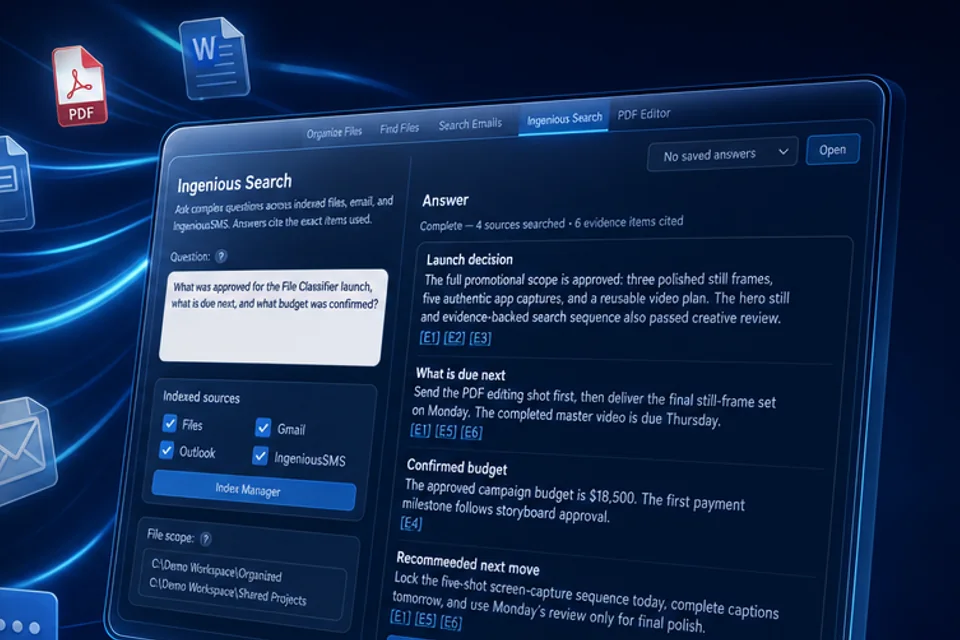
Ask questions about indexed files and inspect the supporting sources, including content that is difficult to classify by filename alone.
Organize copies of photos, documents and spreadsheets by their actual content. Create meaningful filenames and nested folders while preserving originals in the copy workflow.
Ingenious PDF Editor remembers approved answers locally so recurring personal and business forms become faster to complete. Turn supported scanned or image-based forms into fillable fields and review the results.
Index supported email and attachments, combine search criteria and uncover information buried in old messages. Classic Outlook integration requires classic Outlook.
Index on demand or on a schedule, then reuse the local index. Processing time depends on your files, hardware and chosen model.
Keep Free analysis and indexes on your PC. Optional Premium adds cloud-assisted capabilities with explicit approval of selected content and action cost; new Premium sales are not yet open.
Use voice to express simple searches and more detailed requests. Microphone, language and model requirements apply.
Preview and print PDFs in a lightweight dedicated viewer without entering the full editor.
Start Free without registering. Receive signed updates, practical feature guides and a direct channel for suggestions.
Trust and control
Product screens are kept separate from page labels for clear reading.
Product updates
Product work
PDF editing, forms, remembered answers, signatures, OCR and reduction are available in 9.44. Broader clean Windows and complex-document acceptance work continues.
Signed 9.44 Free downloads and updates are available. Complete the current release evidence archive and customer purchase/refund acceptance before opening new Premium sales.
Broaden clean-install, upgrade, high-DPI, keyboard, screen-reader, Windows 10, and Windows 11 evidence.
Keep first scans and incremental updates responsive for customers with years of files and mail.
Improve provider sign-in and the guided customer-owned connection setup included in 9.44, with clear permissions and recovery when provider requirements prevent a connection.
Improve blank detection, reusable field mappings, and review controls for complex customer forms.
No. Install and use Free immediately. Sign in through the hosted email-code flow to subscribe and restore purchases.
Reopening a PDF for editing starts a session. Dedicated viewing starts a viewing session; embedded previews do not. Completed searches, including zero results and successful follow-up questions, count across all search tabs. An organization operation counts when it changes files. Failures do not count; saving, undo and recovery remain available. Counters reset at local midnight.
No separate Word quota is introduced. PDF operations opened from any entry point still use the PDF limits.
Free AI stays on your PC. Guided Local AI installation helps select a suitable model. When subscribed, you can deliberately use managed Ingenious AI, which sends the selected prompt and supporting content to our AI service and its model providers. It never silently replaces Local AI with cloud processing.
Public sales start one 30-day enrollment window. A $5 checkout opened before the deadline remains eligible for up to 30 minutes. The price remains $5/month on that continuously maintained subscription; after termination, a new subscription uses the current offer.
Version 9.44 includes Gmail connection setup, with a guided customer-owned connection as a fallback, plus classic Outlook integration. Provider sign-in, permissions and setup requirements apply. The new Outlook app is not the classic Outlook integration.
Use Manage billing in your account. Access continues through the paid-through date, then the app returns to Free. Purchased actions remain saved for a future active subscription. Software updates stay free. Refund requests and receipts are available through Ingenious Tools.
Publisher kit: official graphics, screenshots, feature copy, and signed download
Free updates for everyone
Use Ingenious Search Free without registration. Subscribe when you need unlimited workflows and managed Ingenious AI.